
Organize courses
Create course records with codes, rooms, schedules and distinct colors for quicker recognition.
Presented by TURNER CLEANING SERVICE
Professor Notes gives educators one focused place to organize courses, prepare lesson outlines and keep teaching plans easy to find.

Core features
Professor Notes keeps teaching preparation straightforward, from creating a course to reviewing a completed lesson.
Create course records with codes, rooms, schedules and distinct colors for quicker recognition.
Write detailed lesson outlines, add dates and optional times, and connect every note to its course.
Mark each lesson as Draft, Prepared or Taught so the next priority is always visible.
Find lessons by title, course, content or tag and narrow the list by teaching status.
Add useful topic tags and keep important lesson plans close with favorites.
Use the app without an account or internet connection. Your teaching notes remain on your device.
Simple workflow
Add the course name, code, room and schedule details you need.
Choose a date, write the outline and mark the lesson as Draft or Prepared.
Use the overview, search and filters to return to any saved teaching note.
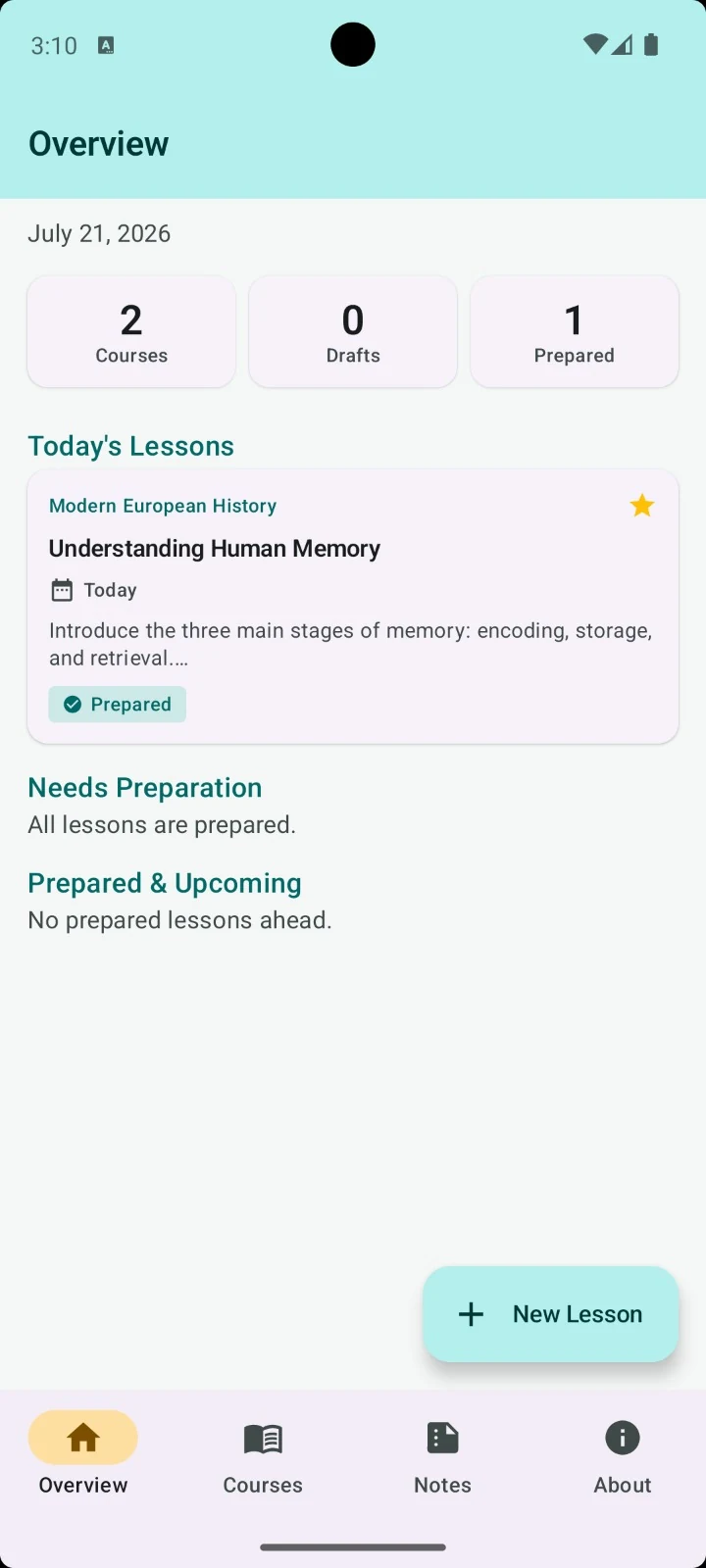
Teaching overview
The overview brings together today’s lessons, draft work and prepared classes without forcing you through a complicated planning system.
Privacy first
Professor Notes works offline and does not require an account. It does not use advertising, analytics or Firebase, and it does not collect personal data.